Shadow of the Erdtree: A Guide to the Perfect Xbox Visual Experience in 2026
Elden Ring Shadow of the Erdtree Xbox graphical settings deliver breathtaking visuals and seamless gameplay for an unforgettable DLC experience.
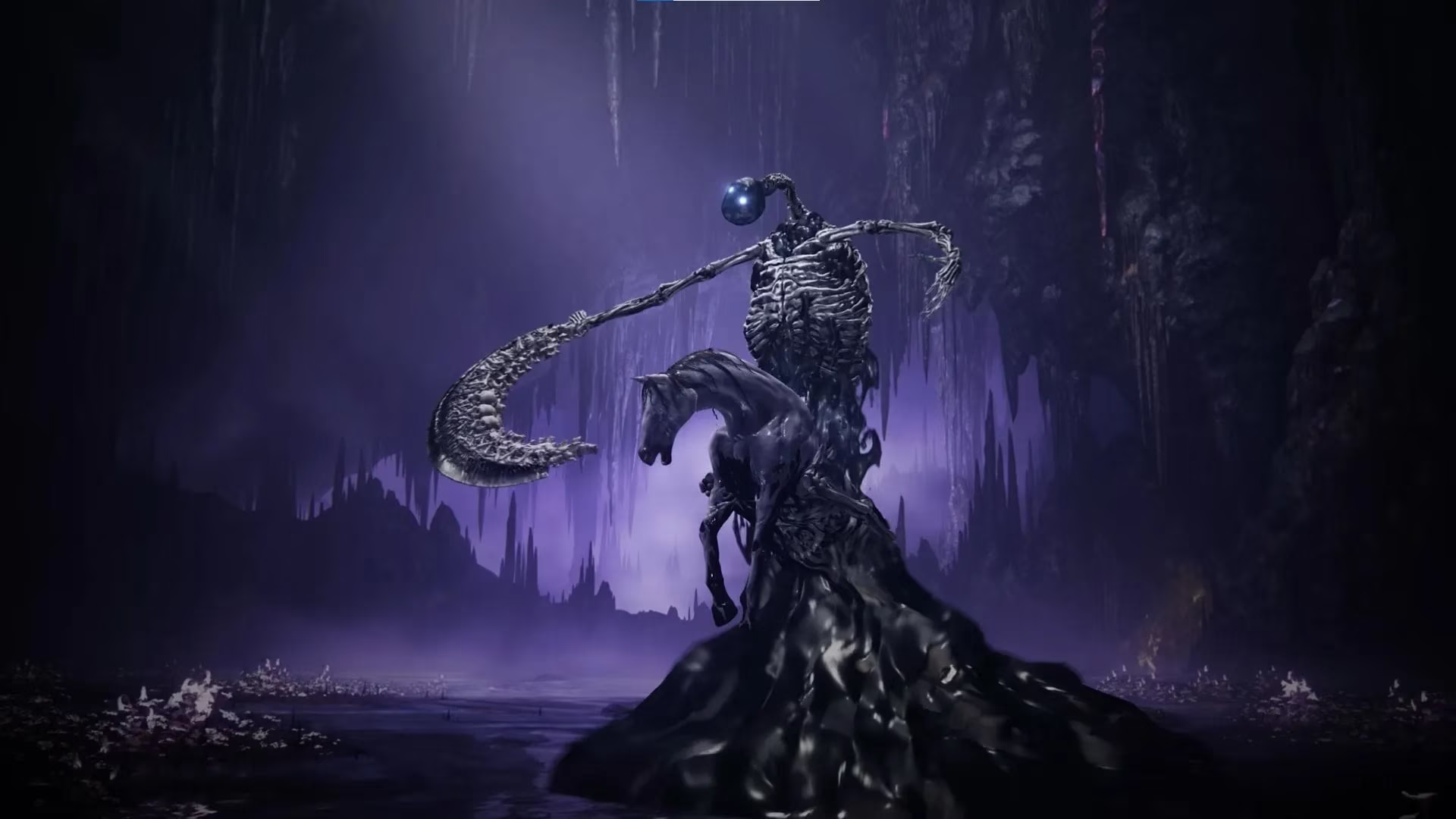
The sprawling, enigmatic world of the Lands Between has expanded once more. The launch of the Elden Ring DLC, Shadow of the Erdtree, was a monumental event, drawing legions of Tarnished back to the foot of the Erdtree. On digital platforms alone, hundreds of thousands heeded the call, their numbers a testament to the enduring allure of FromSoftware's masterpiece. Yet, to truly behold the haunting majesty of this new realm—its shadow-drenched valleys and luminous, forgotten spires—one must first master the canvas upon which it is painted. The graphical settings on Xbox are the brushstrokes that define this experience, a delicate alchemy between stunning visual splendor and the fluid, responsive performance demanded by its punishing trials. This guide, crafted for the modern Tarnished of 2026, seeks to illuminate the path to your ideal balance.
🎨 The Pinnacle of Visual Fidelity: A Painter's Dream
For those who wander the Lands Between as connoisseurs of beauty, for whom every sunbeam filtering through a petrified forest and every glint on ancient armor is a verse in a visual poem, graphical fidelity is paramount. This configuration is for the aesthete, the screenshot hunter who wishes to capture the DLC's profound, melancholic artistry in its most pristine form. It is a deliberate choice, trading the frenetic pace of high frame rates for a contemplative, cinematic journey.
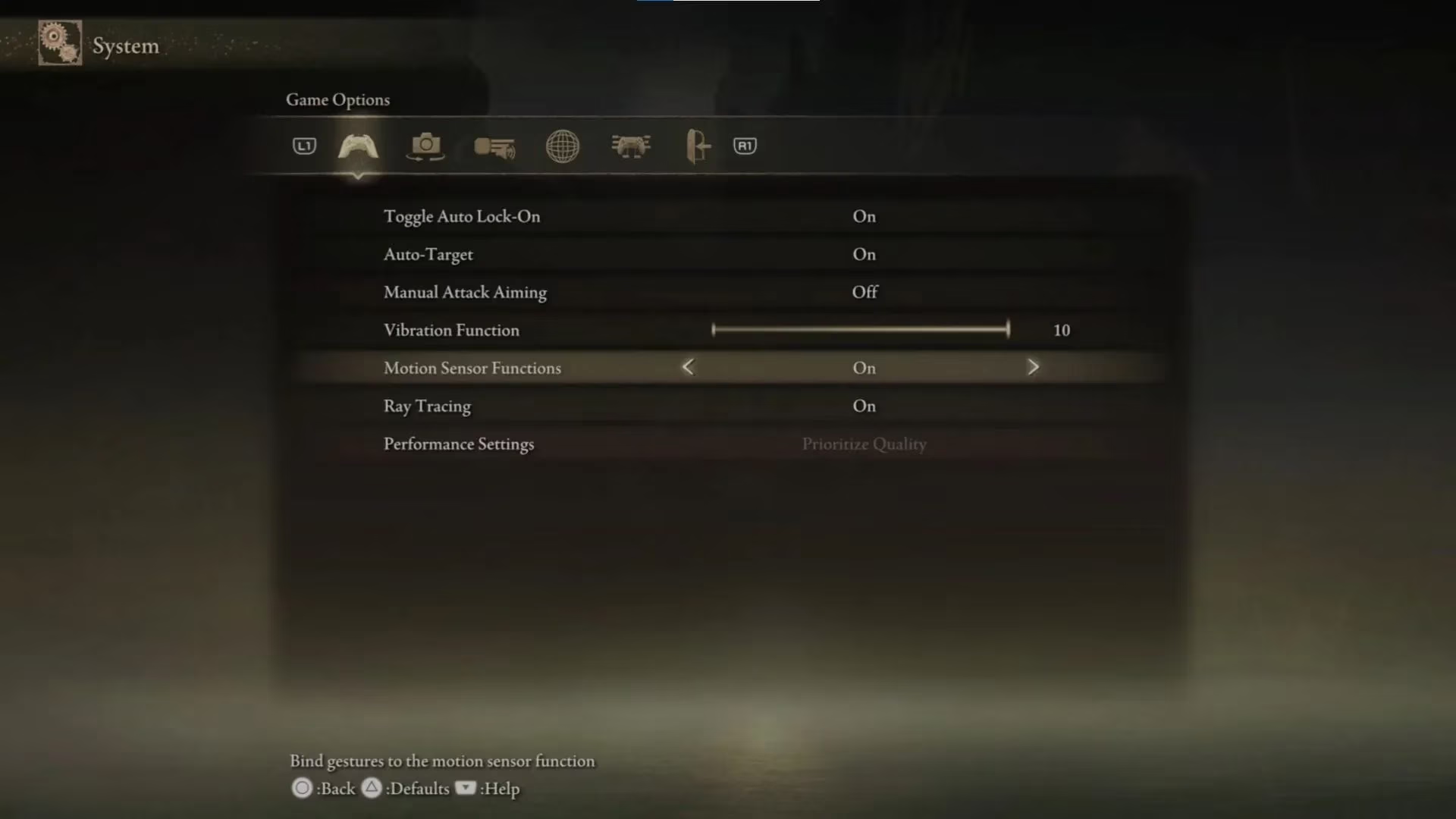
Enabling Ray Tracing is the cornerstone of this approach. This technology simulates the physical behavior of light, casting authentic, dynamic shadows and reflections that breathe tangible life into every surface. A puddle in a dank catacomb becomes a mirror to the gloom above, and the Erdtree's faint glow paints the world in soft, ethereal hues. Be warned, pilgrim: this path demands sacrifice. The frame rate will be locked to a cinematic 30 FPS, a pace that emphasizes the weight and grandeur of each moment over sheer reactivity.
Recommended Settings for Maximum Fidelity:
-
Ray Tracing: On (The essential choice for visual depth)
-
Performance Settings: Locked (Ensures stable, consistent image quality)
-
Toggle Auto Lock-On: On
-
Auto-Target: On (A guardian angel in the heat of combat)
-
Manual Attack Aiming: Off
-
Vibration Function: 10 (To feel every colossal impact)
-
Motion Sensor Functions: On
This setup transforms your journey into a living painting, where light and shadow are not just effects but storytellers. It is the optimal way to experience the DLC's new landscapes for the first time, to simply stand and behold.
⚖️ The Harmonious Balance: Beauty and Brawn
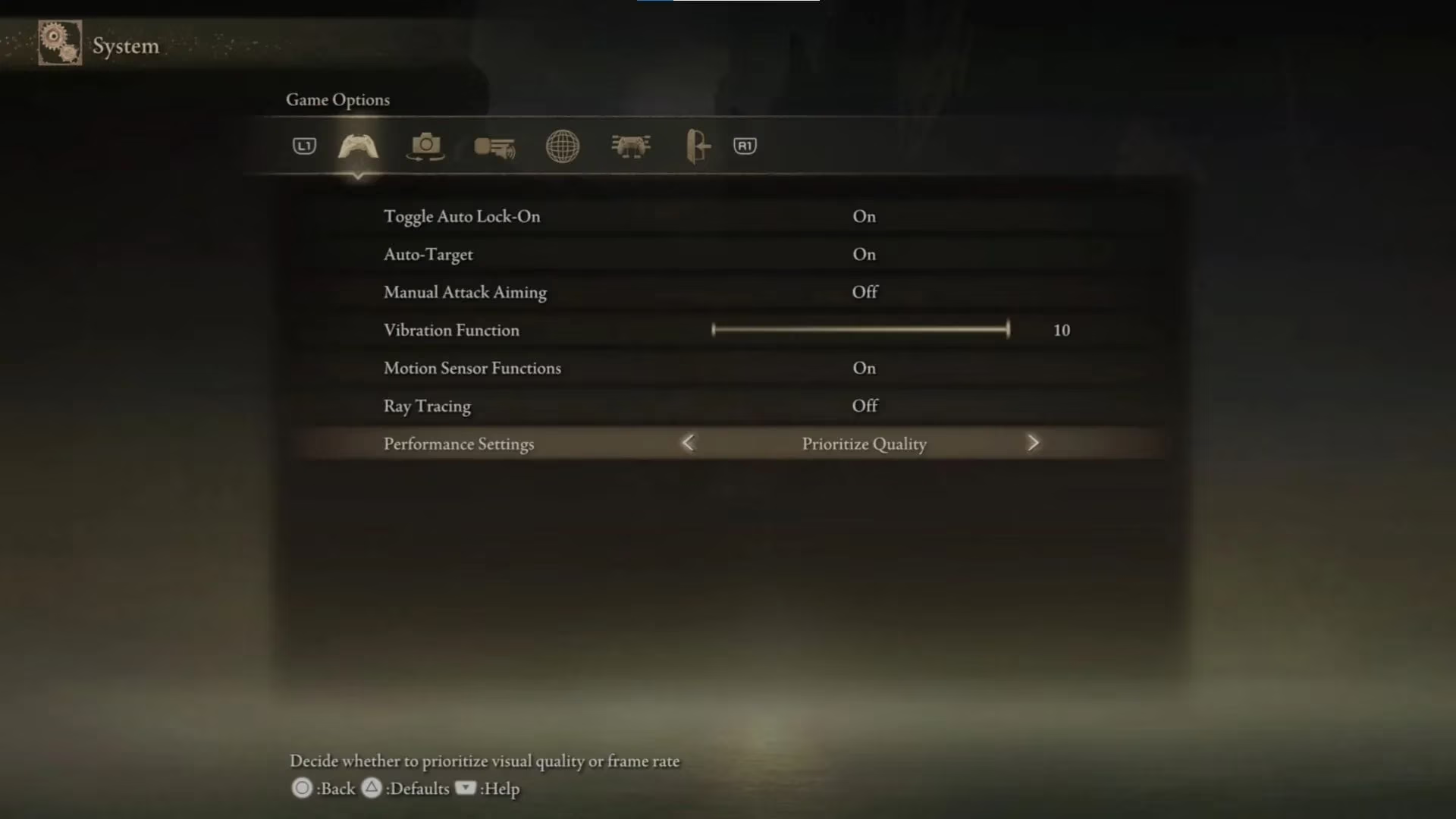
Most Tarnished seek a middle road—a harmony where the world's splendor does not come at the cost of their survival. This balanced configuration is the sweet spot for the majority of adventurers in 2026, offering a lush, detailed world that remains responsive to the player's will. It forsakes the computationally heavy Ray Tracing for a more consistent and often smoother experience.
With Performance Settings set to 'Prioritize Quality', the game maintains high-resolution textures, intricate environmental details, and robust draw distances. The frame rate target remains at 30 FPS, but here is where modern display technology shines. If your monitor or television supports Variable Refresh Rate (VRR), the experience becomes notably smoother. VRR allows the display's refresh rate to dynamically sync with the game's output, effectively eliminating screen tearing and stutter. In practice, this can elevate the perceived smoothness, often delivering a fluidity that feels closer to 45-50 FPS, making exploration and combat feel more natural.
Recommended Settings for Balanced Gameplay:
-
Ray Tracing: Off (The key concession for performance)
-
Performance Settings: Prioritize Quality
-
Toggle Auto Lock-On: On
-
Auto-Target: On
-
Manual Attack Aiming: Off
-
Vibration Function: 10
-
Motion Sensor Functions: On
This is the recommended configuration for players who wish to appreciate the DLC's artistic vision without feeling handicapped in its fierce encounters. It provides a stable, beautiful foundation for both exploration and conquest.
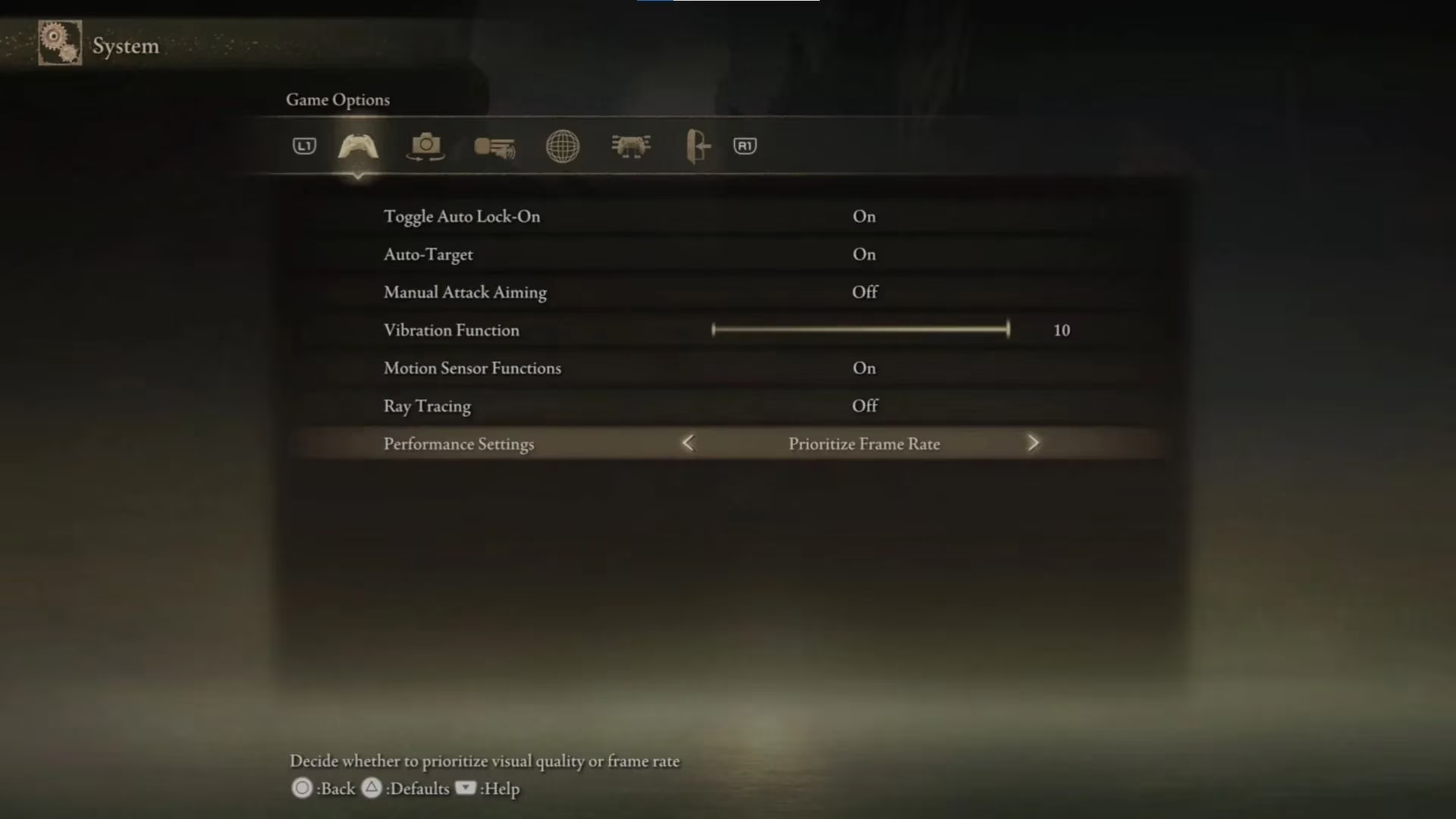
⚡ The Performance Purist's Path: Unshackled Agility
For the duelists, the no-hit challengers, and those for whom a millisecond can mean the difference between glory and a 'YOU DIED' screen, performance is the only true currency. This configuration is forged in the fires of necessity, prioritizing raw, unflinching speed above all else. It is the choice of the tactical warrior for whom clarity of action trumps atmospheric detail.
Setting Performance Settings to 'Prioritize Frame Rate' unlocks the coveted 60 FPS target. This doubles the fluidity of animation and input response, making dodges crisper, parries more reliable, and camera movement instantaneous. The trade-off is a noticeable reduction in graphical clarity. The image may appear softer, with some background details and subtle lighting effects dialed back to maintain that high frame rate. It’s a world viewed through a functional, focused lens rather than an artistic one.
Recommended Settings for Peak Performance:
-
Ray Tracing: Off
-
Performance Settings: Prioritize Frame Rate (The path to 60 FPS)
-
Toggle Auto Lock-On: On
-
Auto-Target: On
-
Manual Attack Aiming: Off
-
Vibration Function: 10
-
Motion Sensor Functions: On
🔧 Personalizing Your Journey
Remember, these templates are but a guide. The lands of the Shadow of the Erdtree are vast, and every Tarnished's journey is unique. The settings marked as 'Personal preference'—like Auto-Target and Vibration intensity—are yours to command. Some may find Auto-Target a distraction in complex multi-enemy skirmishes, while others rely on it as a crucial tool. The vibration function can be tuned to provide subtle immersion or overwhelming feedback. Do not hesitate to enter the settings menu and adjust these to match your personal rhythm and playstyle.
🌅 The Ever-Evolving Lands Between
As of 2026, the Elden Ring ecosystem continues to be supported. While no major graphical overhauls are expected, periodic system updates and potential Xbox firmware enhancements can subtly influence performance. The principles outlined here—the trinity of Fidelity, Balance, and Performance—remain the foundational pillars for optimizing your adventure. Whether you choose to wander as an awestruck spectator, a balanced explorer, or a razor-sharp combatant, these settings are your key to unlocking the full, intended experience of this monumental expansion. Now, go forth. The shadow of the Erdtree awaits, and it is more breathtaking—or responsive—than ever before.